Your home, built around the five prayers.
Between work, school runs, and everything in between, prayer is easy to squeeze in last. Mizan starts with the five prayers and fits the rest of the day around them.

The day has edges
Fajr, Dhuhr, Asr, Maghrib, and Isha split the day. Tasks and plans sit in the time between them.
Every person has a list
Parents and kids each see what's theirs, on the screen the whole house walks past.
It stays on the wall
One screen in the kitchen, in kiosk mode. The day isn't scattered across five phones.
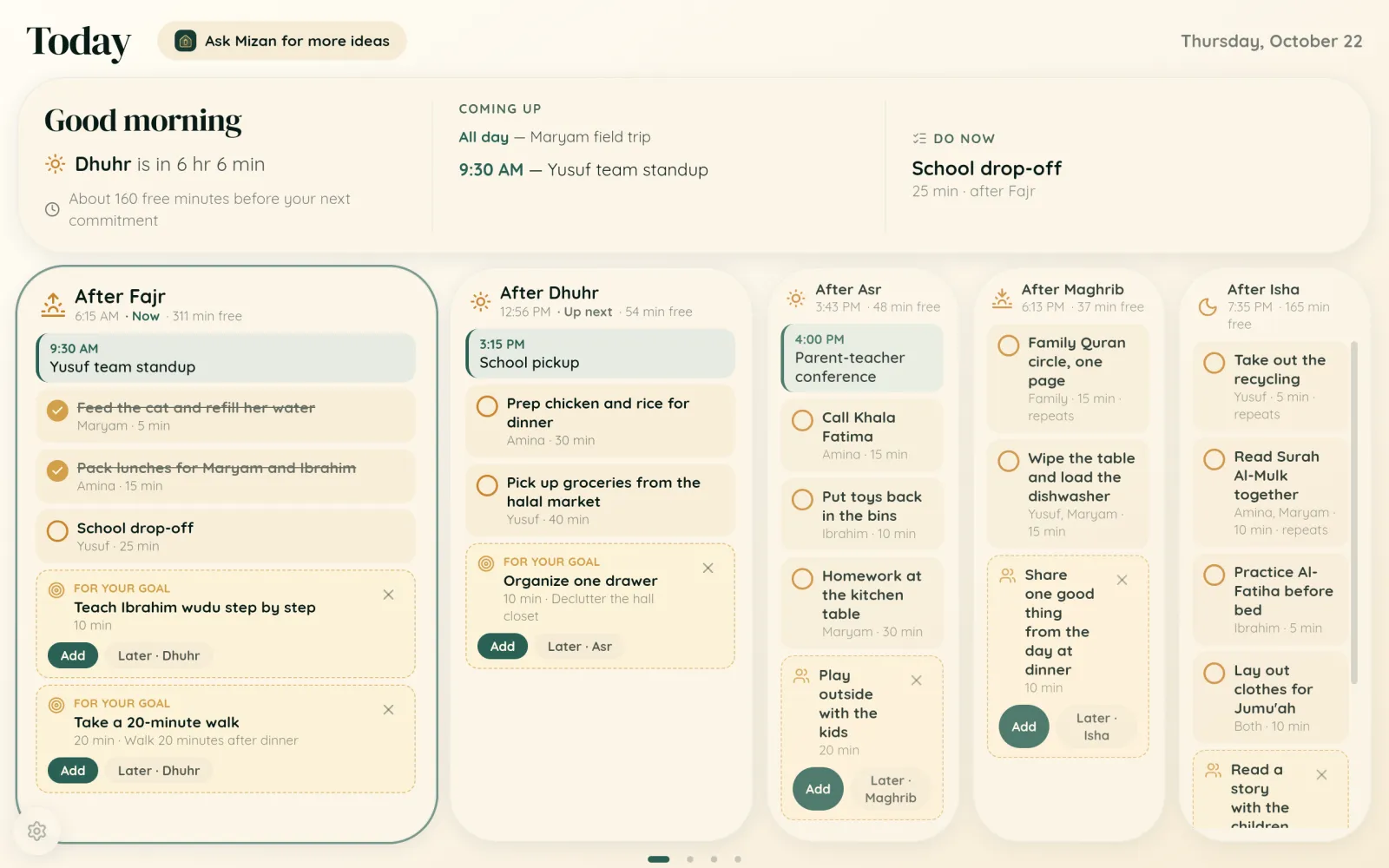
What fits before the next prayer
Each part of the day is its own column, with the time you have left before the next salah.
- “Do now” is the one thing worth doing next
- Suggestions only show up when you have the time
- A step toward a family goal, like finishing Juz 'Amma
The house hears the call when it's time
At each prayer the screen fills with that prayer's sky, and the athan plays. You decide which prayers, and how loud.
- Times for your city, with your calculation method and madhab for Asr
- A separate athan for Fajr, and a volume for each prayer
- It can play with the screen off. Tap to stop it




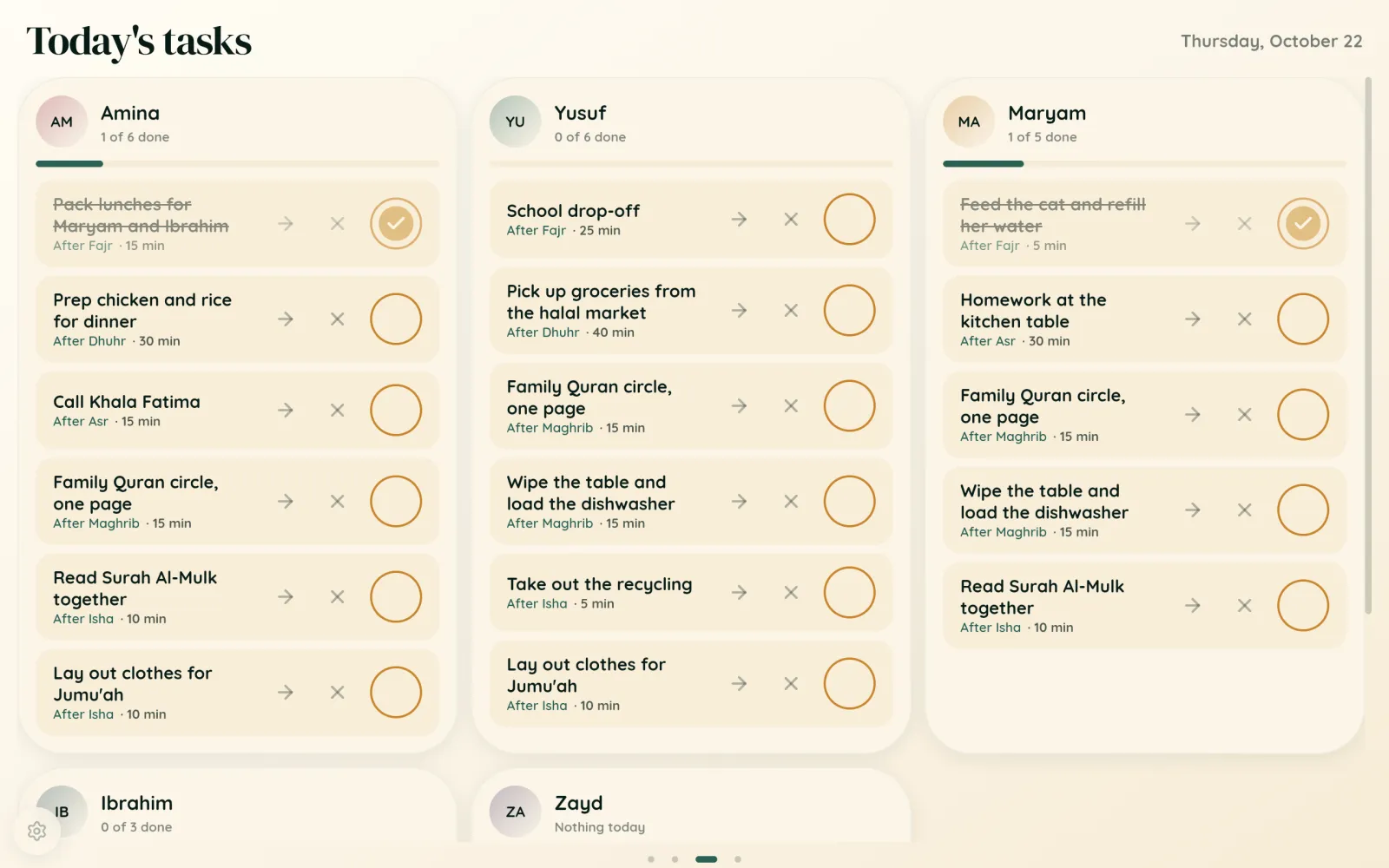
Each person can see what's theirs
A column for every name in the house. The kids tick off their own, so the list isn't only in your head.
- Recurring chores come back on their own
- Shared chores show up for the whole family
- A task can be tied to a prayer, like after Maghrib
Ask for a plan, then keep what you want
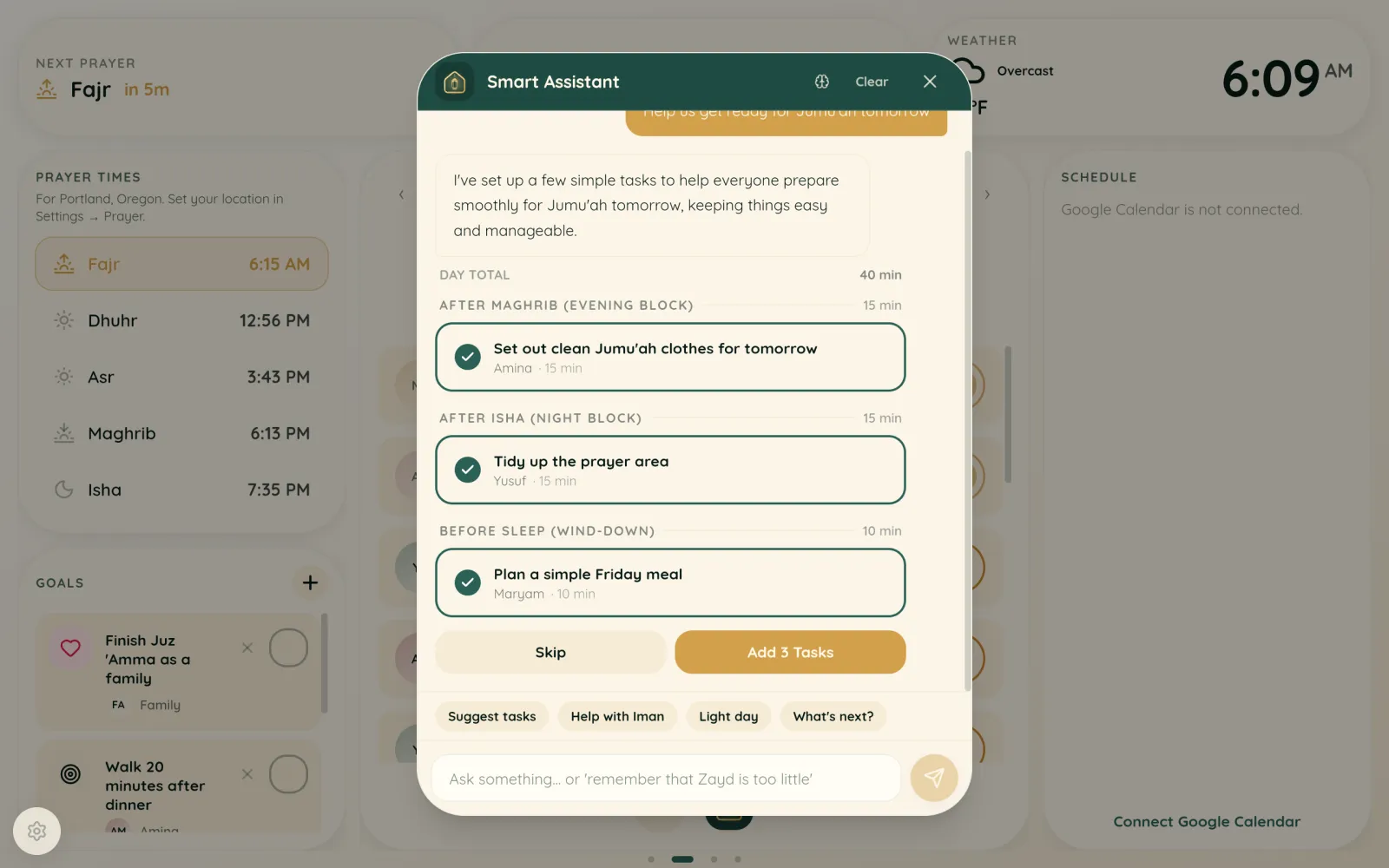
Getting ready for Jumu'ah, a lighter day, or chores for the kids. Mizan suggests the tasks. You add them.
- Suggestions land between the prayers, with a name and a time
- Add them with a tap, or skip what you don't want
- It can also put an event on the calendar
The week, lined up with salah
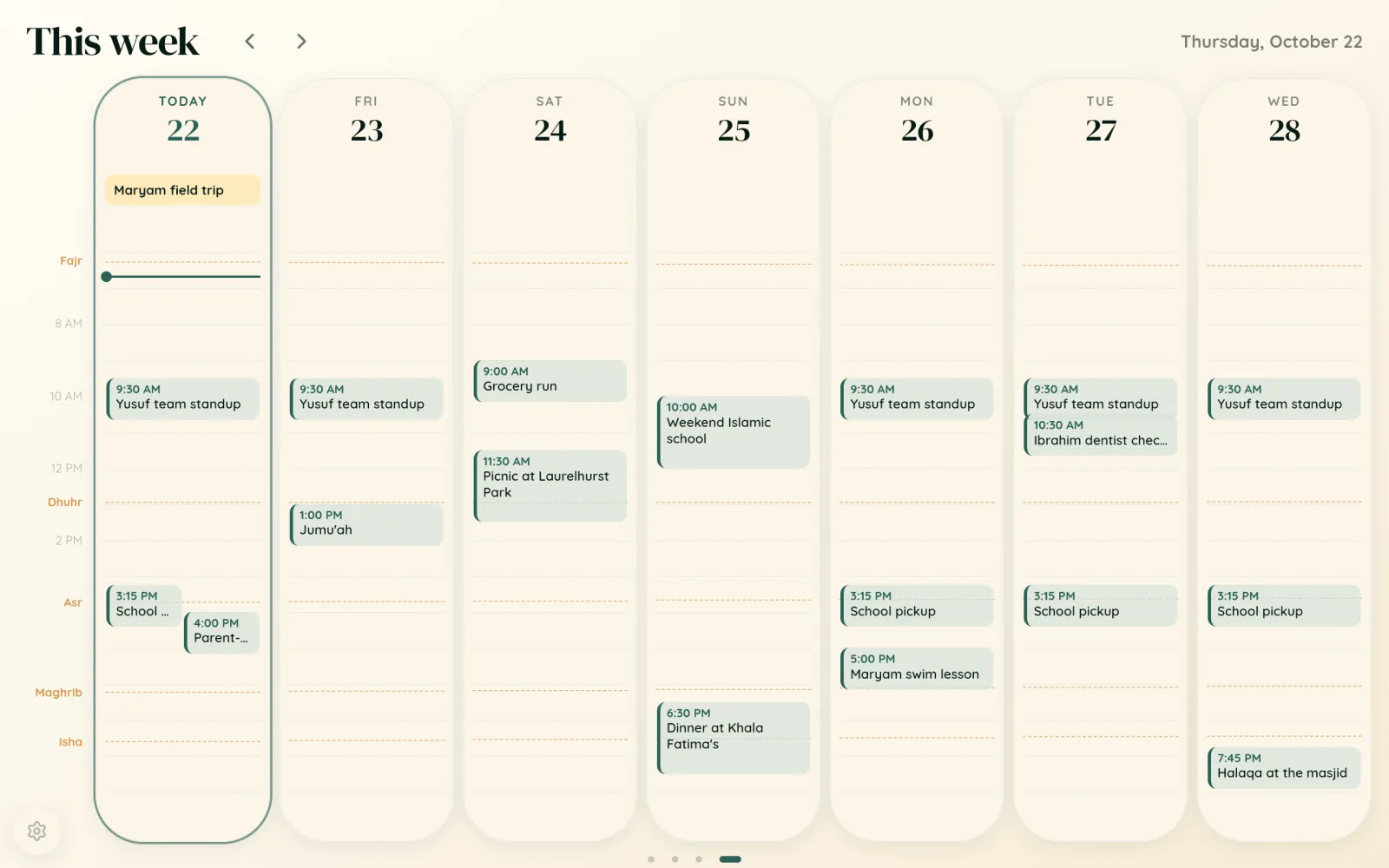
Connect Google Calendar. School pickup, Jumu'ah, and halaqa sit on the same days as the prayer times.
- Appointments and Islamic school on one week
- Prayer times run through every day
- Events stay in your own Google Calendar
Your data stays at home.
The details of your household live on your tablet. What leaves the house is only what a question needs.
Your home, your data
Tasks, goals, and conversations stay on the tablet. Calendar events stay in your Google Calendar.
Names stay on the tablet
Family names are swapped for private placeholders before anything is sent to the assistant.
Only what the question needs
The assistant receives the pieces required to help with that request, and nothing else.

Household, in balance.
Mizan is in early testing with a small number of families. Back the Kickstarter to bring it to the kitchen wall.
Join the KickstarterAlready testing Mizan? Create an account or sign in.